
Renew Road TaxOnline in Malaysia
Road tax renewal requires active car insurance, so with PolicyStreet, you can renew both in one checkout.
Get Quote NowHow to Renew Road Tax With PolicyStreet
Renew your car insurance with PolicyStreet and add road tax renewal in the same checkout. Here's how it works:
Visit PolicyStreet to compare car insurance quotes from multiple insurers.
Choose your preferred insurance plan and optional add-ons.
Select Drive+ Membership before checkout.
Complete your purchase.
We'll process your road tax renewal on your behalf once your insurance is issued.
Physical road tax slips are no longer issued for private vehicles owned by Malaysian citizens. Your digital road tax (e-LKM) can be accessed through the MyJPJ app. Only foreign-owned and company-owned vehicles continue to receive physical road tax stickers.
What You Need Before Renewing
Have these ready before you begin:
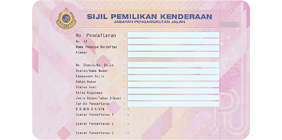
Vehicle Ownership Certificate (VOC)
Car grant or a copy of it
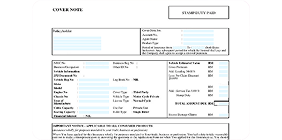
Valid car insurance
Coverage must extend beyond your new road tax expiry date
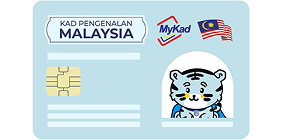
Identification Document
MyKad for Malaysians or passports for non-Malaysians

No outstanding summons
Settle any JPJ or PDRM summons before renewing
How to Check your Road Tax Status in JPJ
Open the MyJPJ App
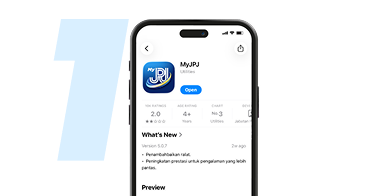
Ensure you have downloaded and logged into the official MyJPJ app.
Tap on 'Profile'
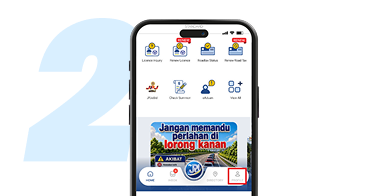
On the main home dashboard, look at the navigation bar at the bottom. Tap on the Profile icon located in the bottom-right corner.
Select the 'Vehicle' Tab
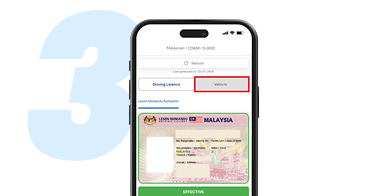
By default, your profile page may load on the Driving Licence tab. Tap on the grey Vehicle tab next to it to switch views.
Choose Your Plate Number
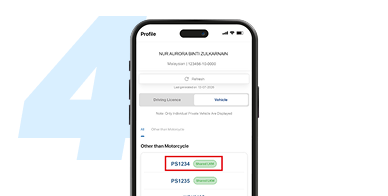
Under the "Other than Motorcycle" (or relevant category) section, you will see a list of your registered vehicles. Tap on the specific plate number (e.g., PS1234) of the vehicle you want to check.
View Your Digital Road Tax
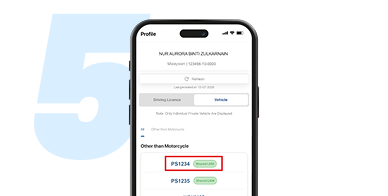
Your digital Lesen Kenderaan Motor (LKM) card will load on your screen. Here, you can easily view its real-time status (such as EFFECTIVE), the valid period, insurance details, and options like "Show QR" or "Fullscreen View" to show authorities if needed.
Not Sure How Much Road Tax You Will Pay?
Get your estimated number before you renew.
Road Tax Calculator
Find out how much road tax you'll need to pay for your vehicle.
Calculate Road TaxEV Road Tax Calculator
Find out how much road tax you'll need to pay for your electric vehicle.
Calculate EV Road TaxRead more on Road Tax Renewal in Malaysia


Frequently Asked Questions About Road Tax Renewal
Have more questions? Find all the answers on our comprehensive FAQ page.
You can check your digital road tax (e-LKM) status at any time through the MyJPJ app. Your road tax status is stored digitally and updated in real-time.


